Why do insurance payments take longer to deposit even after claims are approved? Delays in posting insurance payments might cause reimbursements to take longer and raise accounts receivable. According to industry data, the average insurance payment processing time has improved from 57.4 days in 2024 to 55.2 days in 2025.
Timely insurance payment posting helps physicians, practice management, and medical billing teams maintain correct financial records and identify reimbursement difficulties sooner. According to a revenue cycle survey conducted in 2026, 62% of RCM leaders identified claim denials and underpayment management as their most major operational difficulty, while 47% reported losing 3%-4% of net income due to denied claims, underpayments, or timely filing limitations.
This guide explains how to speed up insurance payment posting in Athenahealth using practical workflows and billing best practices. You will learn how ERA and EFT processing improve reimbursement, which KPIs to monitor, common payment posting errors to avoid, and methods that help improve payment accuracy.
What Is Insurance Payment Posting in Athenahealth?
Insurance payment posting records payer reimbursements after claims are processed and approved. Accurate posting helps healthcare organizations maintain current financial records, identify payment differences, and support consistent revenue cycle performance.
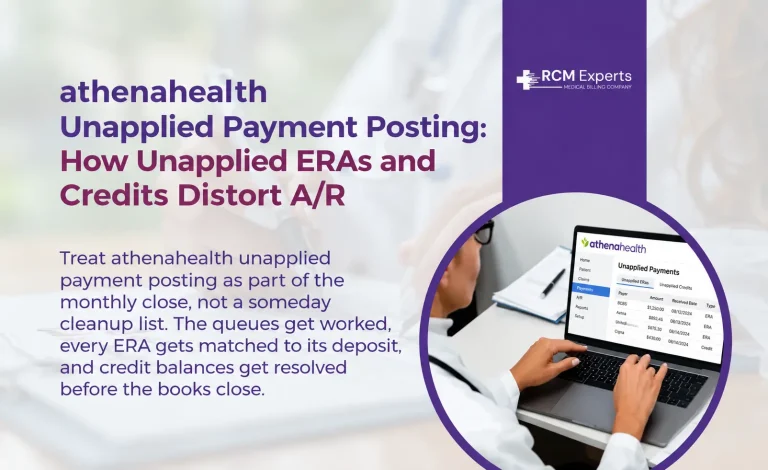
Insurance payment posting is the process of recording insurance reimbursements, contractual adjustments, deductibles, copayments, coinsurance, and patient balances in the practice management system. Every posted payment must match the payer’s remittance details to keep billing records accurate. Delayed or incorrect posting can affect cash flow, increase Accounts Receivable (A/R), and create additional follow-up work for billing teams. Payments that do post but never attach to a specific charge create a related problem, covered in our guide to unapplied ERAs and patient credits in athenahealth.
Athenahealth payment posting combines Electronic Remittance Advice (ERA), Electronic Funds Transfer (EFT), and payment reconciliation to reduce manual work and improve posting accuracy. The platform helps billing teams review payment details, identify posting exceptions, reconcile deposits, and monitor reimbursement activity through reporting tools.
Difference Between ERA, EFT, and EOB
Although these terms are often used together, each serves a different purpose in the Athenahealth payment posting workflow.
Electronic Remittance Advice (ERA): An electronic file that explains how an insurance claim was processed, including payments, adjustments, denials, and patient responsibility.
Electronic Funds Transfer (EFT): The electronic transfer of insurance reimbursement directly into the provider’s designated bank account.
Explanation of Benefits (EOB): A paper or digital statement describing claim processing results, payment details, adjustments, and the patient’s financial responsibility.
Common Causes of Payment Posting Delays
Payment posting delays often result from operational gaps that interrupt reimbursement processing. Identifying these issues early helps billing teams reduce backlogs, improve payment accuracy, and support a healthier revenue cycle.
Missing ERA Enrollment
Practices that are not enrolled for Electronic Remittance Advice (ERA) often depend on paper remittance documents. This increases processing time because staff must manually review payment details before posting them into Athenahealth. ERA enrollment allows payment information to reach the billing system sooner, reducing posting delays.
Manual Posting Delays
Manual payment posting requires staff to enter payment amounts, adjustments, and patient responsibility line by line. This process takes longer and increases the chance of data entry errors. High claim volumes or limited staffing can quickly create posting backlogs and delay reimbursement reporting.
Payment Reconciliation Problems
Payment reconciliation verifies that Electronic Funds Transfers (EFTs) match the corresponding remittance advice and deposited amounts. Missing transactions, unmatched payments, or incorrect contractual adjustments can delay claim closure and require additional review before payments are posted.
Staff Workload
Billing professionals frequently handle payment posting, rejection follow-up, claim revisions, and patient account reviews at the same time. During periods of increased claim volume or staff shortages, payment posting queues can grow, extending reimbursement turnaround times and affecting Accounts Receivable (A/R).
Incomplete Payer Information
Incorrect policy numbers, outdated insurance details, missing payer identifiers, or inaccurate patient information can prevent payments from matching the correct claims. Verifying payer information before claim submission helps reduce posting delays and supports a more efficient Athenahealth payment posting workflow.
How to Speed Up Insurance Payment Posting in Athenahealth
Reducing payment posting delays requires consistent billing processes and regular monitoring. The following practices help billing teams improve posting accuracy, reduce backlogs, and support timely reimbursement.
1. Enable ERA and EFT
Enroll with payers that support Electronic Remittance Advice (ERA) and Electronic Funds Transfer (EFT). ERA delivers payment details electronically, while EFT deposits funds directly into the practice’s bank account. Together, they shorten payment processing time and reduce manual data entry.
2. Configure Auto-Posting Rules
Set up auto-posting rules for standard payer payments that match predefined criteria. Billing staff should review these rules regularly to confirm they reflect current payer contracts and reimbursement policies. This reduces repetitive manual posting and supports consistent payment processing.
3. Review Posting Exceptions Daily
Not every payment can be posted automatically. Review exception queues each day to identify unmatched claims, denied services, missing adjustments, or incomplete remittance information. Prompt action prevents payment backlogs from growing.
4. Verify Payer Mappings
Confirm that payer identifiers, remittance codes, adjustment codes, and insurance plans are correctly mapped within Athenahealth. Accurate payer mapping helps ensure payments are applied to the correct claims and reduces posting errors.
5. Balance Payment Batches Every Day
Compare posted payments with deposited funds before closing each payment batch. Daily batch balancing helps identify posting differences, duplicate entries, or missing transactions before they affect financial reports.
6. Monitor Payment Queues
Review payment posting work queues throughout the day to identify pending transactions and aging items. Regular monitoring helps billing teams prioritize outstanding work and maintain a consistent Athenahealth payment posting workflow.
7. Reconcile Deposits Before Closing
Complete deposit reconciliation before closing the business day. Match EFT deposits, ERA records, and posted payments to verify that every transaction has been recorded correctly. This practice supports accurate financial reporting and strengthens Athenahealth revenue cycle management.
Step-by-Step Athenahealth Payment Posting Workflow
A structured payment posting workflow helps billing teams record insurance payments accurately and reduce reimbursement delays. Following each step supports consistent financial records and improves revenue cycle performance.
1. Receive ERA
Begin by importing the Electronic Remittance Advice (ERA) from the payer into Athenahealth. Review the remittance file to confirm it contains the expected claims, payment amounts, adjustment codes, and denial information before posting.
2. Verify EFT
Confirm that the Electronic Funds Transfer (EFT) has been received and matches the corresponding ERA. The deposited amount should agree with the payer’s remittance details before payments are applied to patient accounts.
3. Match Claims
Link each payment to the correct claim using the claim number, patient information, date of service, and payer details. Correct claim matching reduces posting errors and helps prevent unapplied payments.
4. Apply Contractual Adjustments
Record contractual adjustments according to the payer agreement. Verify adjustment reason codes and allowed amounts to confirm reimbursements have been processed correctly and identify any payment differences that require follow-up.
5. Transfer Patient Responsibility
After insurance payments and contractual adjustments are posted, transfer the remaining deductible, copayment, coinsurance, or non-covered balance to the patient’s account. This keeps patient billing records accurate and updated.
6. Balance Deposits
Compare posted payments with EFT deposits and daily payment batches. Any differences should be investigated and corrected before closing the batch to maintain accurate financial reporting.
7. Complete Reconciliation
Complete the reconciliation process by confirming that the ERA, EFT, posted payments, adjustments, and deposit totals agree. A final review helps identify missing transactions, duplicate postings, or unmatched payments before closing the accounting period.
Auto-Posting vs Manual Payment Posting
Billing experts regularly manage payment posting, rejection follow-up, claim changes, and patient account reviews continuously.
Auto-Posting
When the Electronic Remittance Advice (ERA) meets specified posting rules, insurance payments are directly recorded. It reduces manual data entry, speeds up payment processing, and allows billing teams to handle large claim volumes more efficiently. Regular reviews of posting rules are necessary to confirm they align with current payer contracts and adjustment codes.
Manual Payment Posting
Manual payment posting is required when payments cannot be matched automatically or when remittance information contains exceptions. Billing specialists review the Explanation of Benefits (EOB) or ERA, verify payment details, enter contractual adjustments, and post the remaining patient responsibility. This method is commonly used for denied claims, partial payments, secondary insurance claims, and unusual reimbursement situations.
Key Differences Between Auto-Posting and Manual Payment Posting
| Feature | Auto-Posting | Manual Payment Posting |
| Processing method | Posts eligible payments automatically | Requires manual review and data entry |
| Processing speed | Faster | Slower |
| Staff involvement | Minimal | Higher |
| Best suited for | Standard ERA transactions | Exceptions, denials, and complex claims |
| Error risk | Lower when posting rules are current | Higher because of manual entry |
| Quality review | Periodic review of posting rules | Review required for each payment |
Conclusion
Accurate insurance payment posting is an important part of maintaining healthy cash flow and reducing Accounts Receivable (A/R). By improving ERA and EFT processing, reviewing payment exceptions, reconciling deposits, and following a consistent Athenahealth payment posting workflow, healthcare organizations can reduce delays and improve reimbursement accuracy.
Applying the practices outlined in this guide can help physicians, practice managers, and medical billing teams strengthen Athenahealth revenue cycle management and improve financial reporting. Regular monitoring, accurate payment reconciliation, and timely follow-up support efficient insurance payment posting and long-term revenue cycle performance.
FAQs
How can healthcare practices speed up insurance payment posting in Athenahealth?
Healthcare practices can improve payment posting by enabling ERA and EFT, configuring auto-posting rules, reviewing payment exceptions daily, and reconciling deposits. These steps help reduce delays and improve reimbursement accuracy.
What is the role of ERA and EFT in Athenahealth payment posting?
ERA provides electronic remittance details, while EFT transfers insurance payments directly to the provider’s bank account. Together, they support faster and more accurate payment posting.
What are the most common causes of insurance payment posting delays?
Common causes include missing ERA enrollment, manual posting, incorrect payer information, payment reconciliation issues, and staff workload. Addressing these issues helps reduce payment backlogs.
When should manual payment posting be used instead of auto-posting in Athenahealth?
Manual payment posting is used for denied claims, partial payments, secondary insurance claims, or unmatched remittances. It helps ensure accurate reimbursement when automatic posting is not possible.
Why is payment reconciliation important in the Athenahealth payment posting workflow?
Payment reconciliation confirms that EFT deposits, ERA files, and posted payments match correctly. It helps identify discrepancies, improve financial reporting, and support efficient revenue cycle management.