Do you use Athenahealth for cardiology billing daily? Are prior OK denials slowing down your patient care? Studies show 28% of cardiology prior OKs get denied. Practices waste 50 hours per week on PA rework. About 65% of denials are due to incomplete info. Wrong or missing clinical docs cause 40% of rejections. Using athenahealth features correctly can cut denials by 75%.
Prior OK is a big challenge for cardiology practices. Heart procedures often need insurance approval before scheduling. Cardiac cath, stress tests, and imaging need prior OK. athenahealth has built-in tools to help with the PA process. Many practices do not use these features fully. Learning the system well reduces denials and saves time. Better PA management means faster patient care and payment.
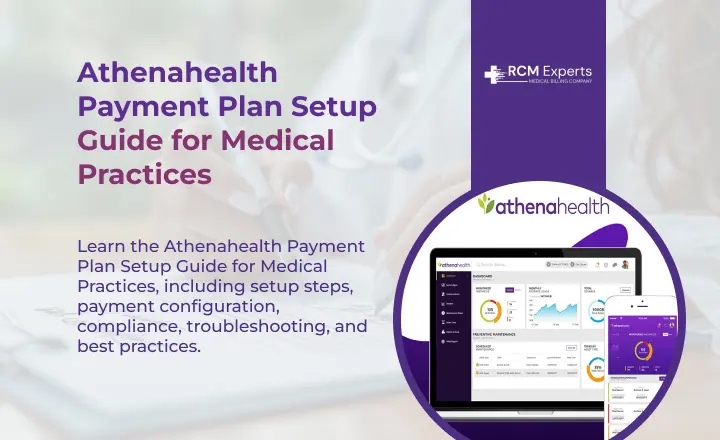
This guide shows how to reduce PA denials using athenahealth. We cover system setup, clinical doc tips, and tracking. Learn workflow automation to speed up approvals, too. Improve your PA success rates starting today with these tips. These strategies work for all cardiology practice sizes. Follow these steps to get more approvals faster.
Set Up the athenahealth PA Module Correctly
Proper system setup prevents most PA errors early. Configure Athenahealth features for cardiology procedures specifically.
Configure Procedure-Specific Templates
Create templates for common cardiology procedures performed. Include cardiac cath, stress tests, and echo templates. Add required clinical info fields for each. Pre-fill common data to save time. Build separate templates by insurance payer type. Include payer-specific form requirements in templates.
Enable Automatic PA Alerts
Set up alerts for procedures requiring prior OK. athenahealth flags orders needing PA approval automatically. Configure alerts by CPT code and payer. Enable pop-up reminders during the order entry process. Set deadline reminders for pending PA submissions. Alert staff when PA approvals expire soon.
Integrate Clinical Documentation
Link clinical notes to PA submission forms directly. athenahealth pulls data from patient charts automatically. Map diagnosis codes to PA requirements correctly. Connect procedure orders with supporting clinical docs. Enable automatic attachment of required test results. Set up rules for pulling relevant patient history.
Submit Complete Clinical Documentation
Incomplete docs cause 65% of PA denials. Insurance companies need specific clinical info for approval.
Include All Required Clinical Information
Document patient symptoms and cardiac risk factors clearly. Include previous test results supporting medical need. Add relevant medical history and comorbidities present. Provide current medications and treatment responses noted. Include physical exam findings related to the heart.
Attach Supporting Test Results
Include recent EKG results with the PA submission. Add previous echo reports showing cardiac issues. Attach stress test results demonstrating problems found. Provide cardiac cath reports from prior procedures. Include lab results showing cardiac markers elevated. Add imaging studies supporting the medical need clearly.
Use Standardized Medical Terminology
Use specific cardiac terms that payers always use. Avoid vague descriptions like chest discomfort only. Document ejection fraction percentages when available exactly. Include vessel names and stenosis percentages found. Note NYHA class for heart failure patients. Use standard risk stratification terminology consistently.
Track Prior Authorizations in athenahealth
Active tracking prevents PA delays and missed deadlines. The Athenahealth dashboard shows all pending PA requests.
Use PA Dashboard Daily
Check the PA dashboard every morning for updates. Review pending submissions needing follow-up attention now. Track approval status for scheduled procedures coming. Identify denied PAs needing immediate resubmission quickly. Monitor turnaround times by insurance payer type.
Set Up Status Notifications
Enable email alerts for PA status changes. Configure notifications for approvals and denials received. Set up alerts for missing info requests. Get reminders when additional docs are needed urgently. Enable team notifications for urgent PA issues. Create escalation alerts for overdue PA responses.
Document Communication with Payers
Record all phone calls with insurance companies. Note reference numbers from payer conversations held. Document the name of the payer rep spoken with. Track dates and times of all communications. Save fax confirmations for PA submissions sent. Keep emails from payers in patient charts.
Automate Workflow Processes
Automation reduces manual work and human errors. athenahealth workflows streamline PA submission and tracking.
Create Automated Task Assignments
Assign PA tasks to specific staff automatically. Route cardiac procedures to trained PA specialists. Set up task queues by procedure type. Create escalation paths for delayed PAs quickly. Assign follow-up tasks when additional info is needed. Automate reminders for incomplete PA submissions pending.
Build Standard Operating Procedures
Document the step-by-step PA submission process clearly. Create checklists for each procedure type offered. Include payer-specific requirements in procedures written. Build quality checks before the PA submission goes. Standardize follow-up procedures for denied PAs received.
Use Athenahealth Reporting Tools.
Generate weekly PA denial rate reports automatically. Trackthe average approval turnaround time by payer. Monitor denial reasons and identify patterns found. Measure staff productivity on PA tasks completed. Compare success rates by procedure type billed. Identify problem payers with high denial rates.
Handle Denied Prior Authorizations
Not all PAs get approved the first time. Quick response to denials improves overturn success. Athenahealth tools help manage the appeal process.
Review Denial Reasons Immediately
Read payer denial carefully for the specific reason given. Common issues include missing docs or info. Some denials cite medical necessity questions raised. Others relate to coverage or contract issues. Contact the payer for clarification when the reason is unclear. Document the denial reason in athenahealth system immediately.
Gather Additional Documentation Quickly
Collect any missing clinical docs requested fast. Obtain additional test results supporting the medical need. Get a peer-to-peer consultation scheduled with the payer. Add more detailed clinical notes explaining the necessity. Include literature supporting the procedure for the condition treated.
Submit Appeals Through athenahealth
Use athenahealth appeal submission feature built-in system. Attach all supporting docs to the appeal request. Include a detailed clinical explanation letter written clearly. Reference specific payer policy language supporting approval. Track appeal submission with confirmation numbers received.
Conclusion
Cardiology PA denials slow patient care and hurt revenue. athenahealth has powerful tools to reduce denial rates. Proper setup, complete docs, and active tracking help. Automation streamlines workflows and saves staff time daily. Quick appeal responses improve overturn success rates significantly. Staff training ensures effective use of system features.
FAQs
What percentage of cardiology PAs get denied?
About 28% of cardiology prior OKs face initial denial. Most denials result from incomplete clinical docs submitted. Missing test results and medical history cause rejections.
How long does PA approval take in Athenahealth?
Average turnaround time is 3-5 business days, typically. Urgent PAs cansometimes be processed within 24 hours. Complex procedures may take 7-10 days for review.
Can I track multiple PAs at once?
Yes, athenahealth dashboard shows all pending PA requests. Filter by status, payer, or procedure type easily. Export reports for analysis and performance tracking.
What clinical docs do payers need most?
Recent test results show cardiac problems clearly. Previous treatment history and medication responses documented. Risk factors and comorbidities supporting medical need.
How do I appeal a denied PA?
Use athenahealth appeal submission feature in the system. Gather all missing docs requested by the payer quickly. Write a detailed clinical explanation supporting medical necessity clearly.