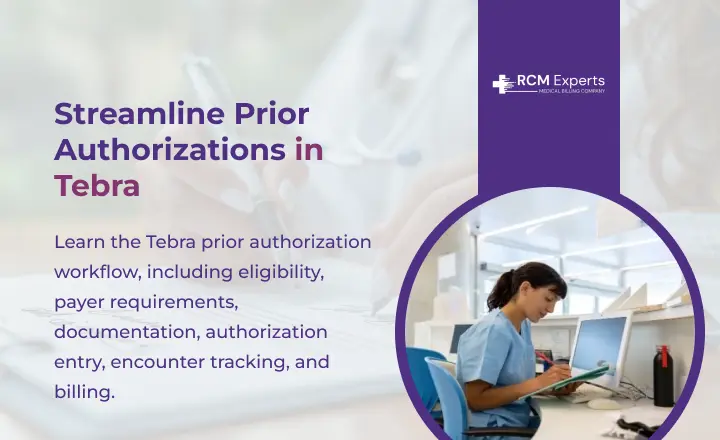
Are prior authorization delays in Tebra causing missed appointments, extra staff work, or claim denials? A request can be delayed because of incomplete clinical records, incorrect codes, payer requirements, or missing authorization details.
A clear Tebra prior authorization workflow helps teams verify coverage, confirm authorization requirements, collect the right documentation, record approval details, and track authorized visits. The benefit is better coordination between providers, billers, coders, and administrative staff. The drawback is that authorization rules vary by payer, so entering an approval in Tebra does not replace payer verification or follow-up.
This guide explains the Tebra prior authorization process from eligibility checks and documentation to authorization entry, encounter tracking, billing, and denial prevention. You will also learn where authorization workflows can fail and what billing and administrative teams can check before services are provided or claims are submitted.
What Is a Tebra Prior Authorization Workflow?
A Tebra prior authorization workflow is the process of checking payer requirements, obtaining approval for a service, recording authorization details, and tracking that approval through the patient encounter. A consistent process can reduce missed requirements, billing delays, and authorization-related denials.
What Does Prior Authorization Mean in Medical Billing?
Prior authorization is a payer requirement that may apply before a patient receives certain medical services, procedures, medications, equipment, or therapies. The payer reviews information such as the diagnosis, requested service, clinical documentation, and medical-necessity criteria before issuing an approval or denial.
For billing teams, authorization is separate from eligibility verification and does not guarantee claim payment. Staff should confirm:
- Whether the patient’s plan requires authorization
- Which CPT or HCPCS code requires approval
- Whether the diagnosis supports the requested service
- The approved service, units, or visits
- Authorization start and end dates
- Payer-specific documentation requirements
Why Prior Authorization Matters for Tebra Users
Tebra users can enter authorization information under a patient’s file and link it with an experience to track the number of visits. Tebra records fields like the policy, authorization number, approved visits, effective dates, contact information, and notes.
This supports better coordination between providers, coders, billers, and administrative staff. However, teams still need to verify payer requirements and confirm that the authorization matches the service before billing.
Tebra Prior Authorization Process: Step-by-Step
A complete Tebra prior authorization workflow should begin with coverage verification and continue through payer review, authorization entry, encounter tracking, and claim review. Each checkpoint helps prevent missing information and avoidable authorization-related billing issues.
Step 1: Verify Patient Eligibility and Benefits
Confirm that the patient’s coverage is active and review the plan’s benefits. Check the payer’s requirements for the planned service, provider, location, and applicable CPT or HCPCS code.
Step 2: Confirm the Authorization Requirement
Determine whether prior authorization is required before scheduling or providing the service. Verify payer-specific rules, referral requirements, diagnosis criteria, service limits, and submission instructions.
Step 3: Gather Clinical Documentation
Prepare complete information for the payer review. Depending on the service, this may include:
1. Patient and insurance information
2. CPT or HCPCS codes
3. ICD-10-CM diagnosis codes
4. Clinical notes and findings
5. Medical-necessity information
6. Previous treatment records
7. Laboratory, imaging, or test results
Step 4: Submit the Prior Authorization Request
Send the request through the payer’s required channel, such as an electronic system, payer portal, fax, or telephone process. Record the submission date and reference information for follow-up.
Step 5: Record the Authorization in Tebra
After approval, enter the authorization in the patient’s case. Tebra documents fields for the policy, authorization number, authorized visits, effective dates, contact information, and notes. Tebra Help Center: Authorizations
Step 6: Link the Authorization to the Encounter
Add the applicable authorization to the encounter so staff can track visits used against the approved amount. Review the authorization before each applicable service.
Step 7: Follow Up on Pending Requests
Maintain a record of pending requests, payer contacts, reference numbers, and expected responses. Follow up based on the payer’s stated timeframe and address requests for additional information promptly.
Step 8: Confirm Authorization Before Claim Submission
Before submitting the claim, verify the authorization number, approved service, dates, visit or unit limits, patient information, and coding. This final review helps identify authorization mismatches before they result in payment delays or denials.
What Information Should Be Entered in Tebra?
Accurate authorization details give billing and administrative teams a reliable record to reference during patient encounters and claim review. Missing or incorrect information can make it harder to confirm approved services, visit limits, and authorization validity.
Tebra Authorization Fields to Complete
Tebra’s documented authorization workflow includes several fields that should be completed from the payer’s approval information. Tebra Help Center: Authorizations
Policy: Select the applicable insurance policy for the patient.
Authorization number: Enter the number issued by the payer exactly as provided.
Authorized visits: Record the number of visits approved by the payer.
Effective start and end dates: Enter the period during which the authorization is valid.
Authorization contact: Add the payer contact’s name and phone number when available.
Notes: Record useful details, such as approved services, payer instructions, or follow-up information.
| Tebra Field | What to Record |
| Policy | Applicable insurance policy |
| Authorization No | Payer-issued authorization number |
| No of Visits | Approved number of visits |
| Effective Dates | Authorization start and end dates |
| Authorization Contact | Payer contact name and phone |
| Notes | Relevant payer or authorization details |
How to Prevent Tebra Authorization Errors
Authorization errors can occur before a request is submitted or after approval is entered into Tebra. A final review of codes, dates, visit limits, patient details, and payer rules can help prevent avoidable billing problems.
1. Check CPT and HCPCS Codes
Confirm that the CPT or HCPCS code on the authorization matches the service being scheduled or billed. A code mismatch can cause the payer to question or deny the claim.
2. Match ICD-10-CM Codes With the Requested Service
Review the diagnosis code against the requested procedure, treatment, or service. The clinical documentation should support the diagnosis and medical-necessity criteria used for the authorization.
3. Confirm Authorization Dates
Check the effective start and end dates before the patient receives an authorized service. Services provided outside the approved period may create payment issues.
4. Check Approved Visit Limits
Compare the authorized number of visits with services already provided. Tebra can associate an authorization with encounters so staff can track visits used.
5. Match the Authorization to the Correct Patient and Policy
Verify the patient, insurance policy, authorization number, and approved service. Selecting the wrong policy can attach valid authorization information to the wrong coverage record.
6. Review Payer-Specific Requirements
Payers can have different authorization rules, documentation standards, submission methods, and service limits. Before billing, confirm that the approval meets the payer’s current requirements and matches the actual service delivered.
Conclusion
A clear Tebra prior authorization workflow helps teams verify payer requirements, maintain accurate authorization records, track approved visits, and reduce preventable billing issues. Regular checks of codes, dates, policies, and documentation can support cleaner claim processing.
For providers, coders, billers, and practice administrators, consistent authorization review keeps payer approvals connected to patient care and billing. Use these checkpoints to identify authorization issues early and reduce avoidable claim delays and denials.
FAQs
What is the Tebra prior authorization workflow?
The Tebra prior authorization workflow covers checking payer requirements, obtaining approval, entering authorization details, linking them to encounters, and reviewing them before billing.
What information should be entered for an authorization in Tebra?
Teams should record the applicable policy, authorization number, approved visits, effective dates, payer contact information, and relevant notes based on the payer’s approval.
Can Tebra track authorized visits?
Yes. Tebra allows an authorization recorded in a patient’s case to be associated with an encounter, helping staff track visits used against the approved amount.
Does prior authorization guarantee claim payment?
No. Authorization confirms payer approval for the specified service under the applicable requirements, but it does not guarantee payment. Eligibility, coding, documentation, coverage, and claim requirements still apply.
How can practices prevent authorization-related denials in Tebra?
Review the CPT or HCPCS code, ICD-10-CM diagnosis, authorization number, dates, visit limits, patient policy, and payer requirements before the service and again before claim submission.